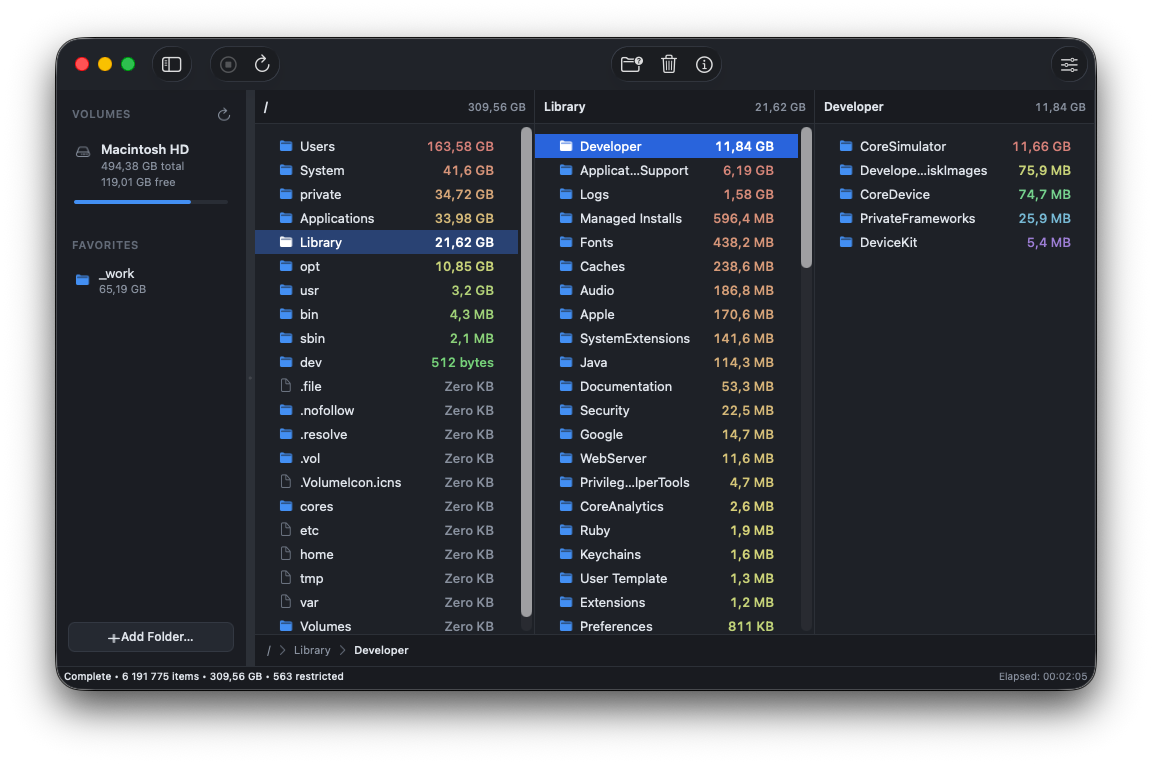
“Other: 214 GB” is not an answer. 🙃 DiskPeek is a disk space analyzer for Mac that gives you the real one: every folder on your disk, biggest first. And it starts answering before the scan has finished.

Performance
Same Mac. Same drive. The same 6.2 million files, every app run all the way to a complete answer.
Complete scan of a 6.2 million file volume
And DiskPeek is browsable from the first second. You are clicking into folders while the rest are still counting.
Testing conducted on a MacBook Pro against an APFS volume holding 6.2 million files, each app run to a complete result on the same drive with nothing else running. Performance is relative to the slowest result tested. Your own results will vary with your Mac, your filesystem, and how much of the volume you grant access to.
Free to scan, paywall to delete, trial that becomes a subscription. No thanks.
Click into a folder a second after you hit scan. The numbers climb underneath you.
It vanishes from the tree and every total above it corrects itself. Instantly.
Arrows move the columns, typing jumps to a file, ⌘1 to ⌘9 scan your volumes.
Go as deep as you like and still see the path you took. Nothing new to learn.
Real allocation first. And it admits when APFS will not give back what you delete.
Every disk scanner asks for your whole drive. This one only ever sees what you hand it, and macOS is what enforces that.
About the price of a coffee. No subscription, no trial that expires into one, no paywall when the scan finds something big.
macOS 14 or later · Apple silicon and Intel
Sandboxing is macOS keeping the app in a box it cannot climb out of. It sees the disks you grant it and nothing else, and that is enforced by the system, not promised by me.
About Mac storage generally, and about this app specifically.
Usually a handful of folders nobody ever opens: Xcode’s DerivedData and simulator runtimes, Docker images, node_modules directories, old iOS backups, a Photos library, and years of downloads. macOS will not break any of it down for you beyond a coloured bar in About This Mac. DiskPeek scans the volume and shows you the real tree, biggest folder first, all the way down.
It is what macOS calls everything it cannot file under Apps, Photos, Music or Documents: caches, logs, disk images, virtual machines, developer tooling. It is less a category than a leftover, which is why it quietly grows to hundreds of gigabytes with no explanation. Opening it up is exactly what a disk space analyzer is for.
Sort by size and walk down. DiskPeek sorts every folder by what it actually occupies on disk, so the biggest thing is the first row at every level, from the volume root to a single file. You hold ↓ and you are at the problem in a few seconds.
No. It is $1.99 on the Mac App Store, paid once. There is no subscription, no trial that expires into one, and no paywall that appears the moment the scan finds something big.
Yes. External disks, network volumes and any individual folder you point it at. Each one is granted once and then remembered, and volumes get numbered shortcuts, ⌘1 through ⌘9.
Because DiskPeek is sandboxed, which the Mac App Store requires. No entitlement gives an app free run of your disk, so the only way in is you choosing the disk yourself. It then sees the locations you granted and nothing else, and macOS is what enforces that, not a promise in a privacy policy.
macOS 14 Sonoma or later, on Apple silicon and Intel. The download is about 4 MB and it ships in English, Português, Français, Español, Русский, 中文 and 日本語.
No. It reads names, sizes and dates, the same metadata Finder reads to draw a list. It never opens a file to look inside, and nothing about your paths, filenames or volume names leaves your Mac.
More detail lives in the support pages, including why macOS asks for permission and the difference between size on disk and logical size.